NMRPredict Help
 |
Help overview | |
|
Running a Prediction | |
|
Inspecting Prediction Results | |
|
C13 NMR Prediction in Detail | |
|
Proton NMR Prediction in Detail |
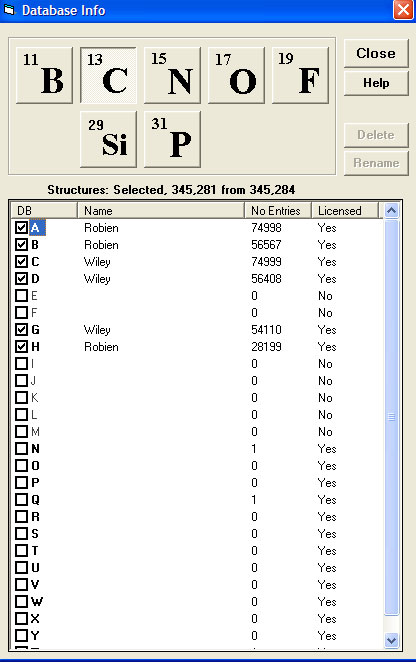
Selecting Databases
Which C13 database to use can be selected in one of two ways:
- By selecting the Databases push button below the structure control screen
- From the Predict - Options - Database pull down menu
NMRPredict uses the concept of External and Internal databases.
- The External databases are those which come with NMRPredict
- The letters A-M are reserved for External databases
- The databases supplied by Dr Robien are databases A, B, F, H, I, J and K and contain a total of 340,785 records
- Optional databases supplied by Wiley are databases C, D and G and contain a further 185,507 records
- The Internal databases are those you build yourself
- The letters N-Z are used for Internal databases
- If you have purchased a database it is shown as being "Licenced"
- You choose which database to use for prediction or search by setting the "Enabled" column to "Yes" or "No"
- If you have purchased the x-nuclei databases these will show in the same way. A total number of 56,930 records from Dr Robien and 54,591 records from Wiley are available